Collaborative Care, made simple.
Run your caseload, your psychiatric consults and your billing minutes from one place, on any screen.
Start every day with Today
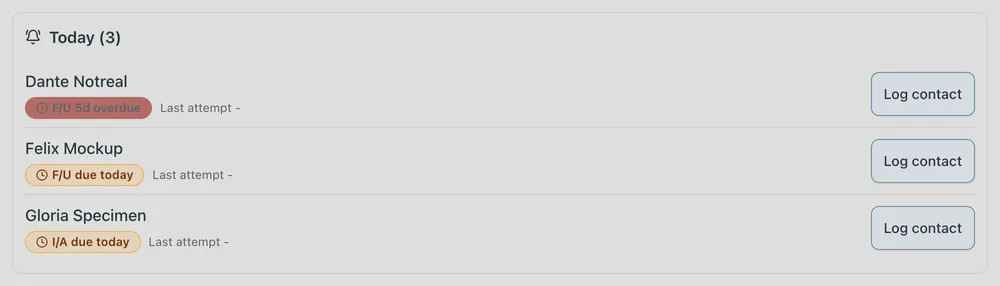
Sign in and your caseload is waiting. Today lists who is due, most overdue first. Filter Active, New, Inactive or the whole caseload, and sort by any column.
Log time in seconds, from your phone
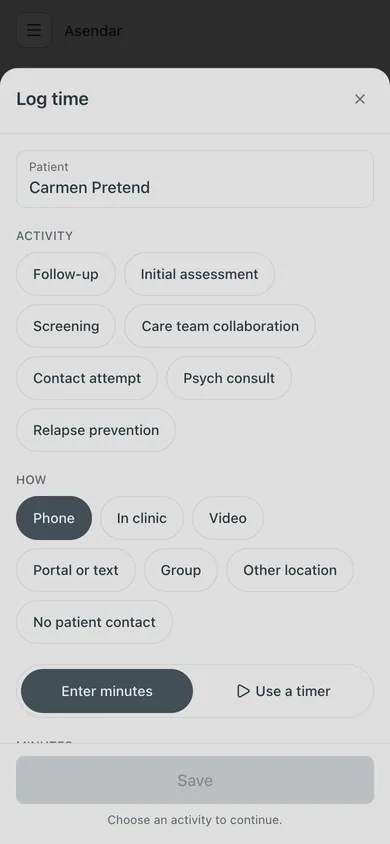
Tap the round clock button and log the contact: what you did, how (phone, video, in clinic, portal or text), and the minutes, with quick chips or a timer. Log time is on the caseload card, the chart and Today, so it is always one tap away.
Watch the minutes ring
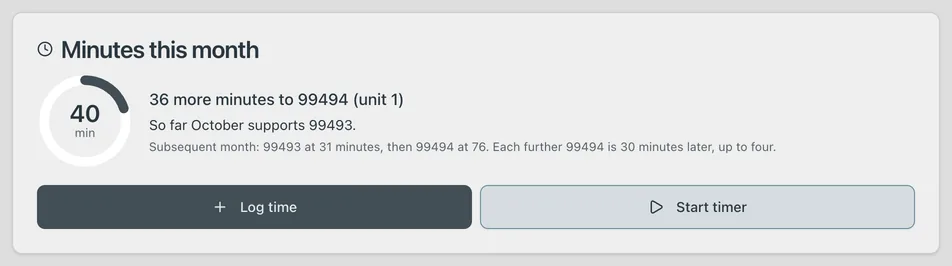
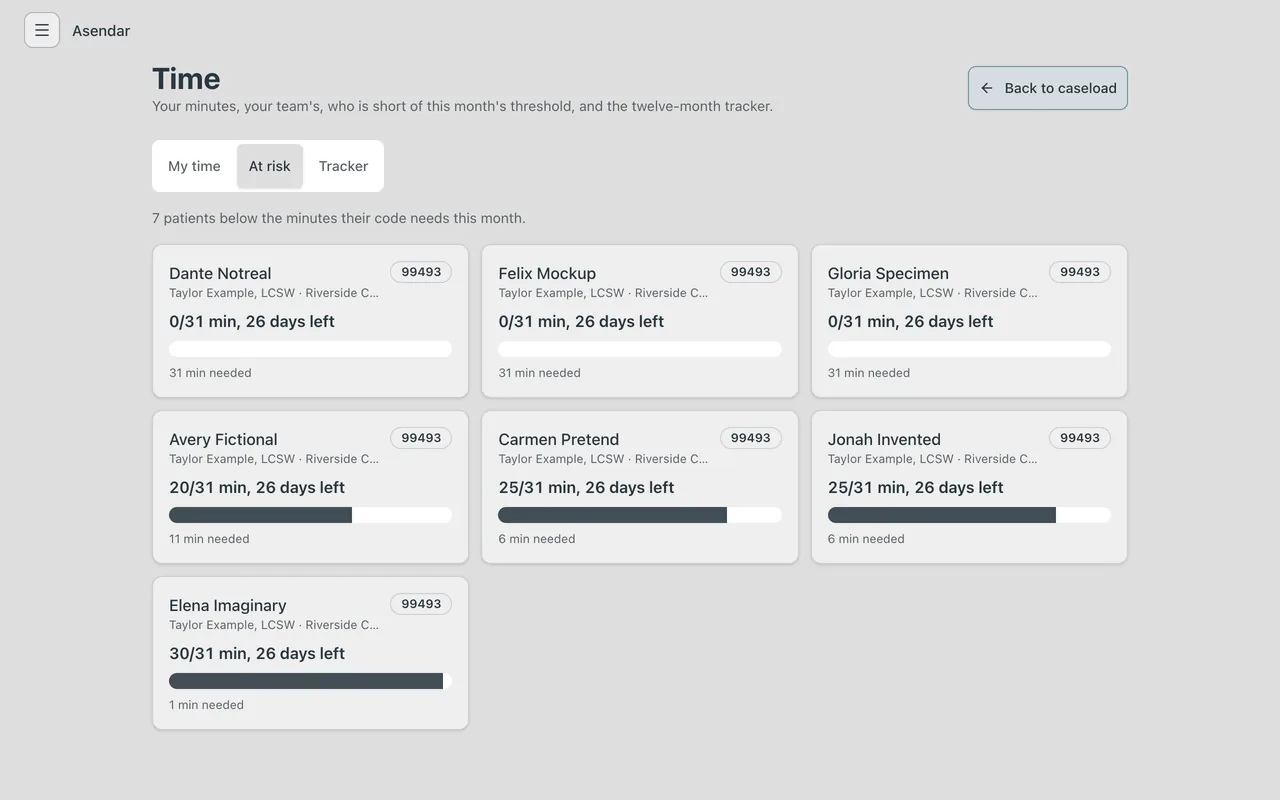
Every card shows the month's minutes and how many more reach the next code. The chart says it plainly: “So far October supports 99493.” The At risk list shows every patient short of their minutes, with the days left.
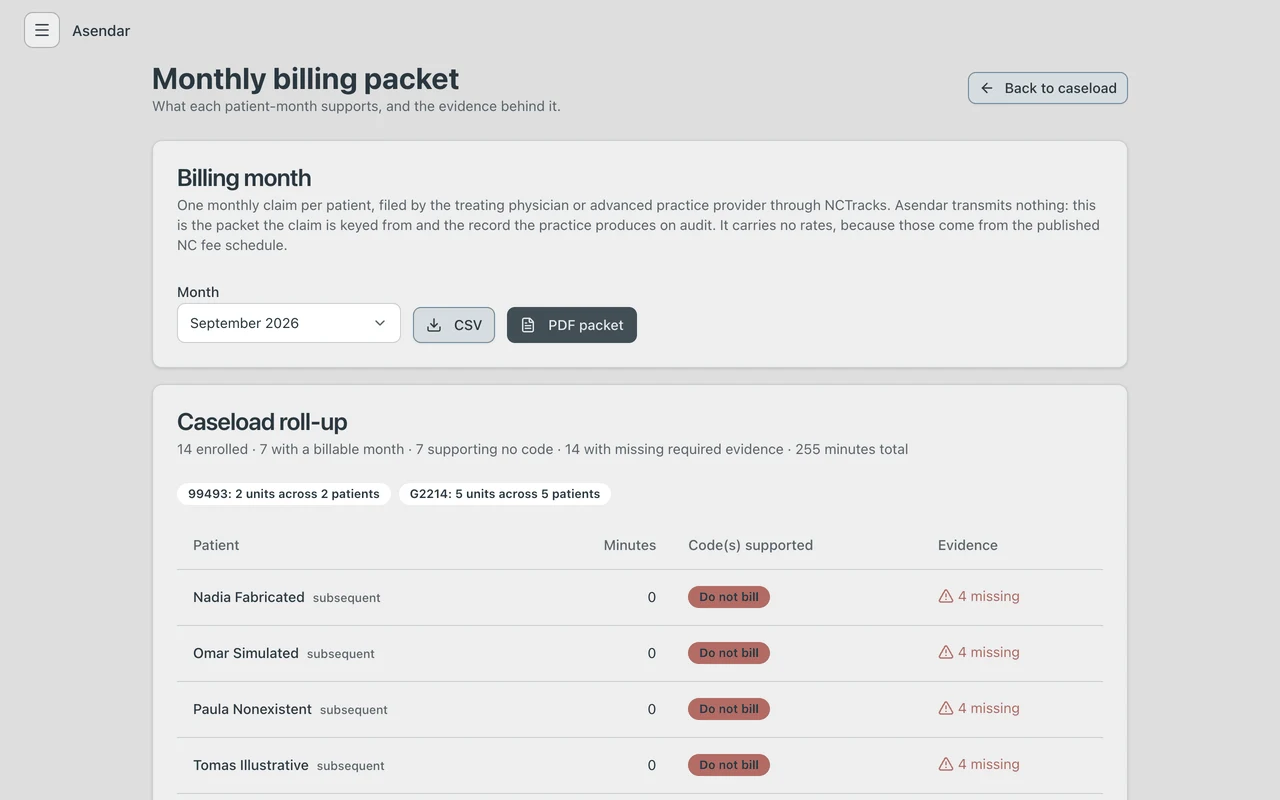
A billing packet you can trust on audit
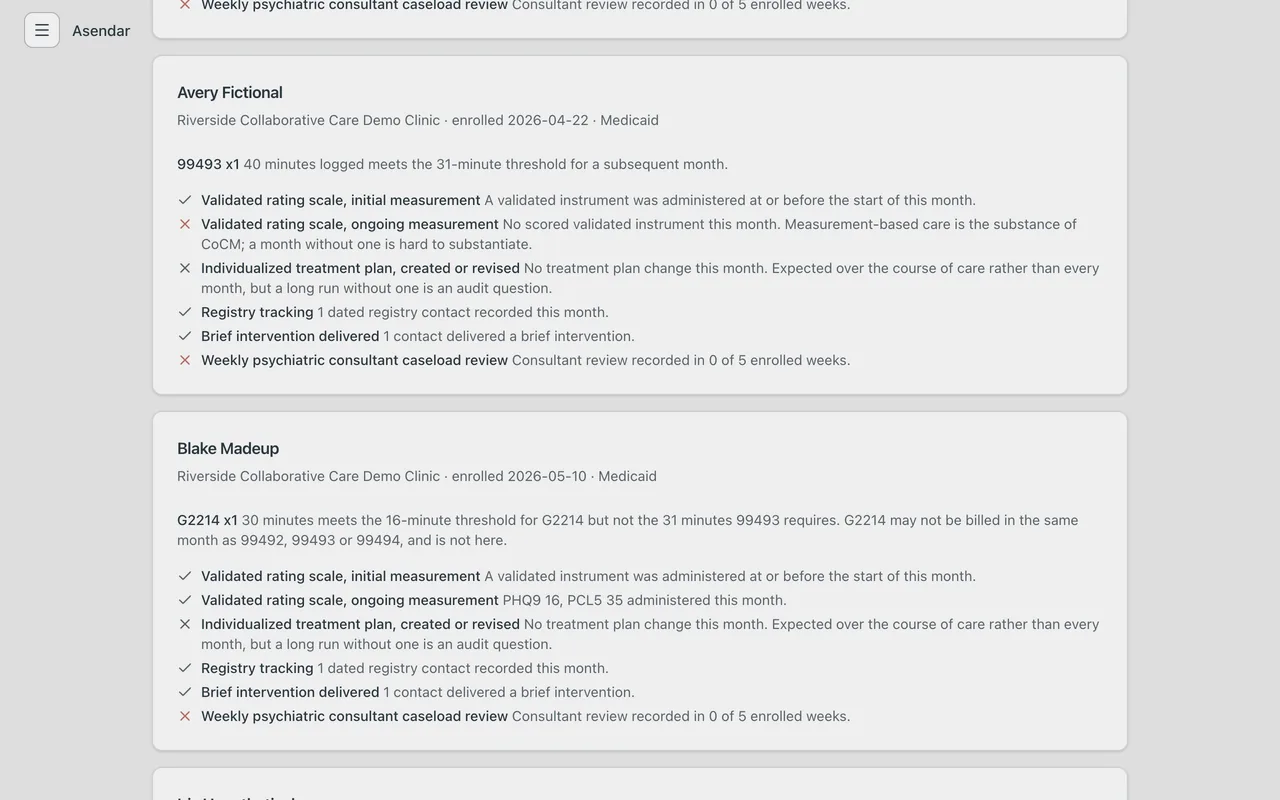
Pick the month. See each patient's minutes, the codes supported (99492, 99493, 99494, G2214) and the evidence, line by line: validated scale, registry tracking, brief intervention, weekly psychiatric consultant review. Months under 16 minutes show Do not bill, with the reason. G2214 is never paired with 99492 to 99494. Download CSV for billing and PDF for the record.
Psychiatric consults that close the loop
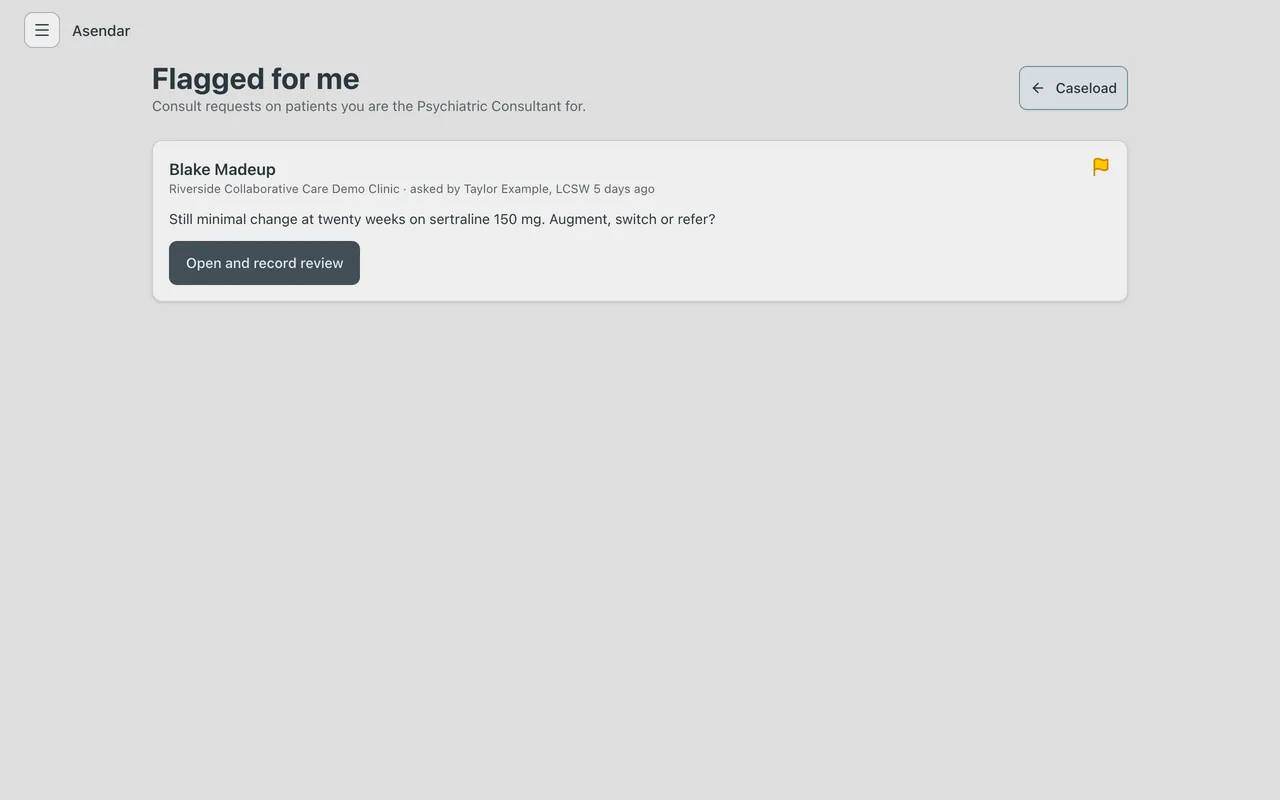
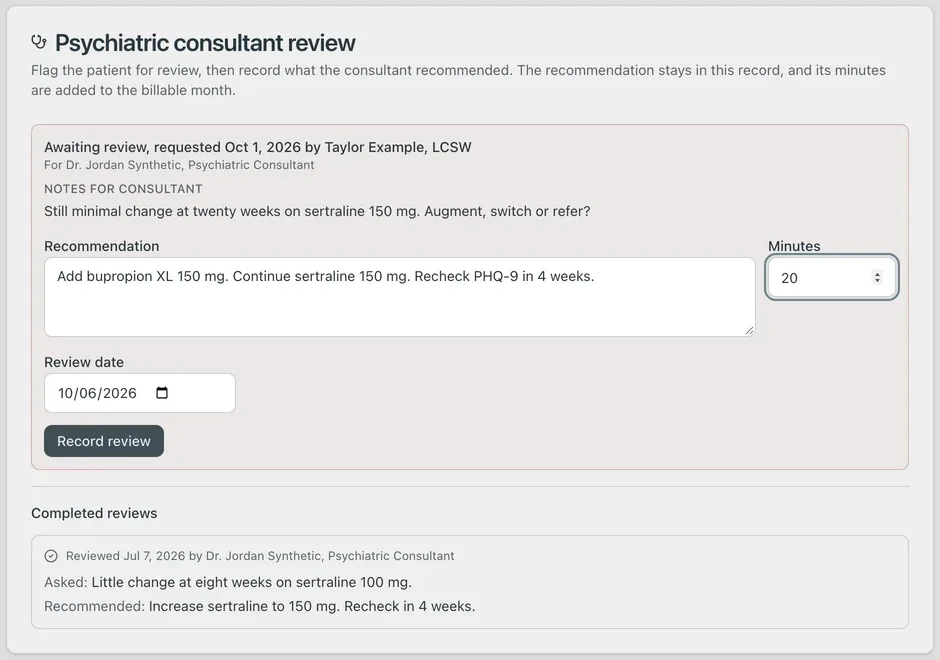
Flag a patient for consult and name the consultant. They open Flagged for me, read the notes, and record the recommendation, minutes and review date. The packet shows who recorded each review and in what role.
Outcomes your payers ask for
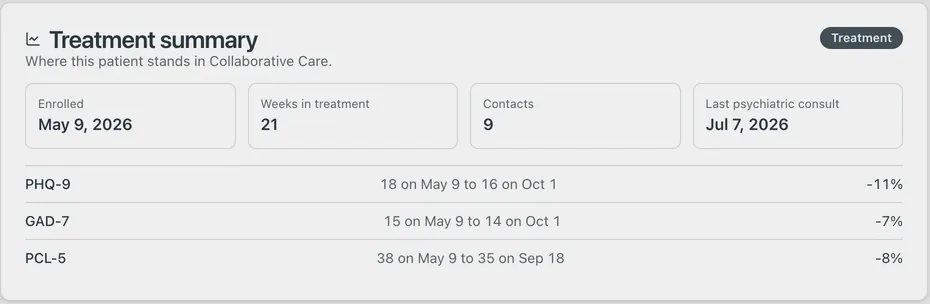
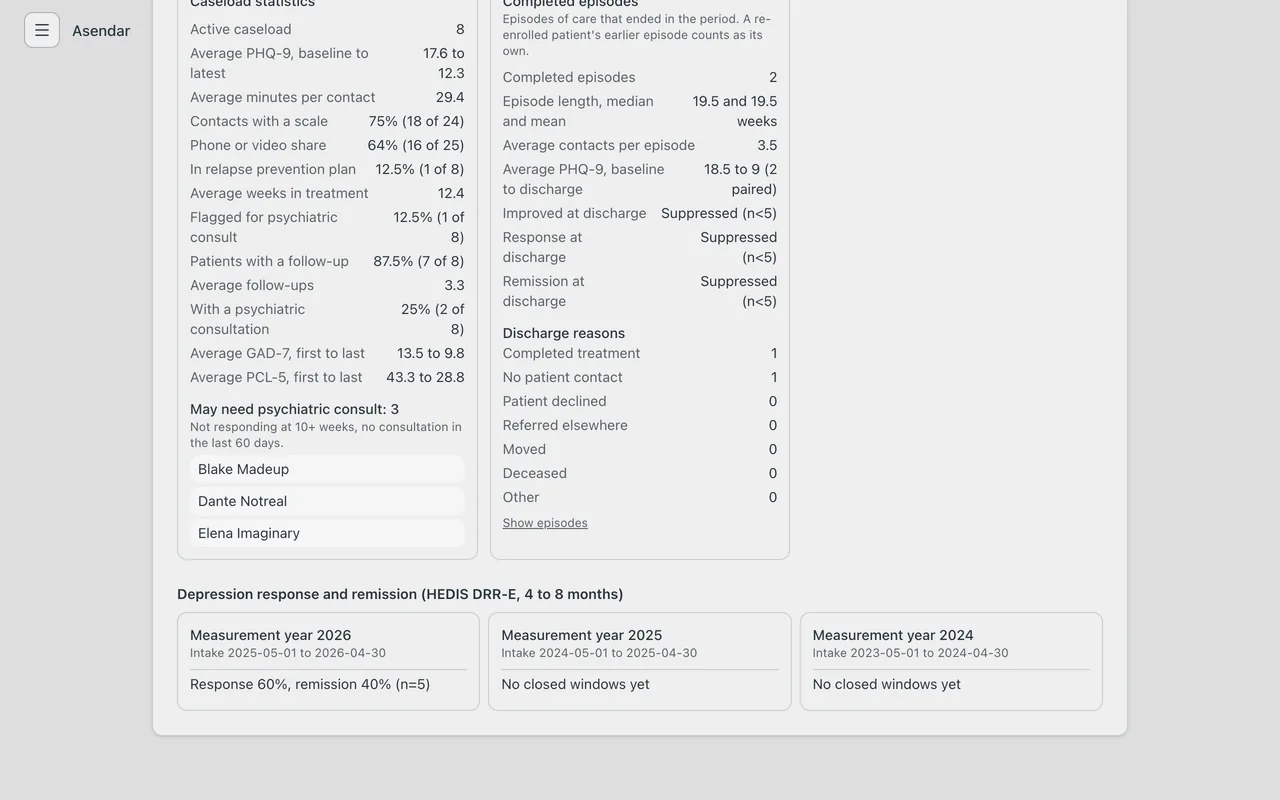
Treatment summary and symptom graph on every chart. Medicaid Clinic Report and Panel Outcomes Report, including depression response and remission (HEDIS DRR-E).
Switch in an afternoon
Bring your Collaborative Care tracker caseload across with a dry run first. Every row shows its result before anything is written, and running it twice never writes twice.
Care beyond the visit
Care happens in one hour a week. Asendar covers the other 167. Patients can share data from Apple Health, Google Health, Oura and Muse, with their consent. The record belongs to the patient, and nothing is deleted: errors are voided with a reason.
Pricing, built around your practice
Every Collaborative Care program is different: your caseload, your team and your payers. Tell us about yours and we will walk you through what Asendar costs for your practice.
Start the conversationReady to make Collaborative Care easy?
Book a demoEvery screen on this page comes from a synthetic demo clinic. No real patient appears anywhere on it.